01How it works 02Display 03Anatomy 04Download app 05Buy
BOTLEON · AI TRANSLATION EYEWEAR · 2026

Every conversation. No camera. No screen in your hand.

Live translation and walking directions, in the corner of your right lens. 28 grams. No camera, no speaker — nothing to distract you, or anyone near you.

Pairs with the phone in your pocket and runs over its connection.

PROTOTYPE UNITS SHIPPING NOW

Can’t wait until launch? Buy the prototype now →

0
Cameras onboard
0
Microphones
0
Frame weight
0
Standby per charge
HOW IT WORKS

Four steps. One pair of glasses.

Pair it once and forget it's clever. Your phone does the thinking; the frame shows you the answer.

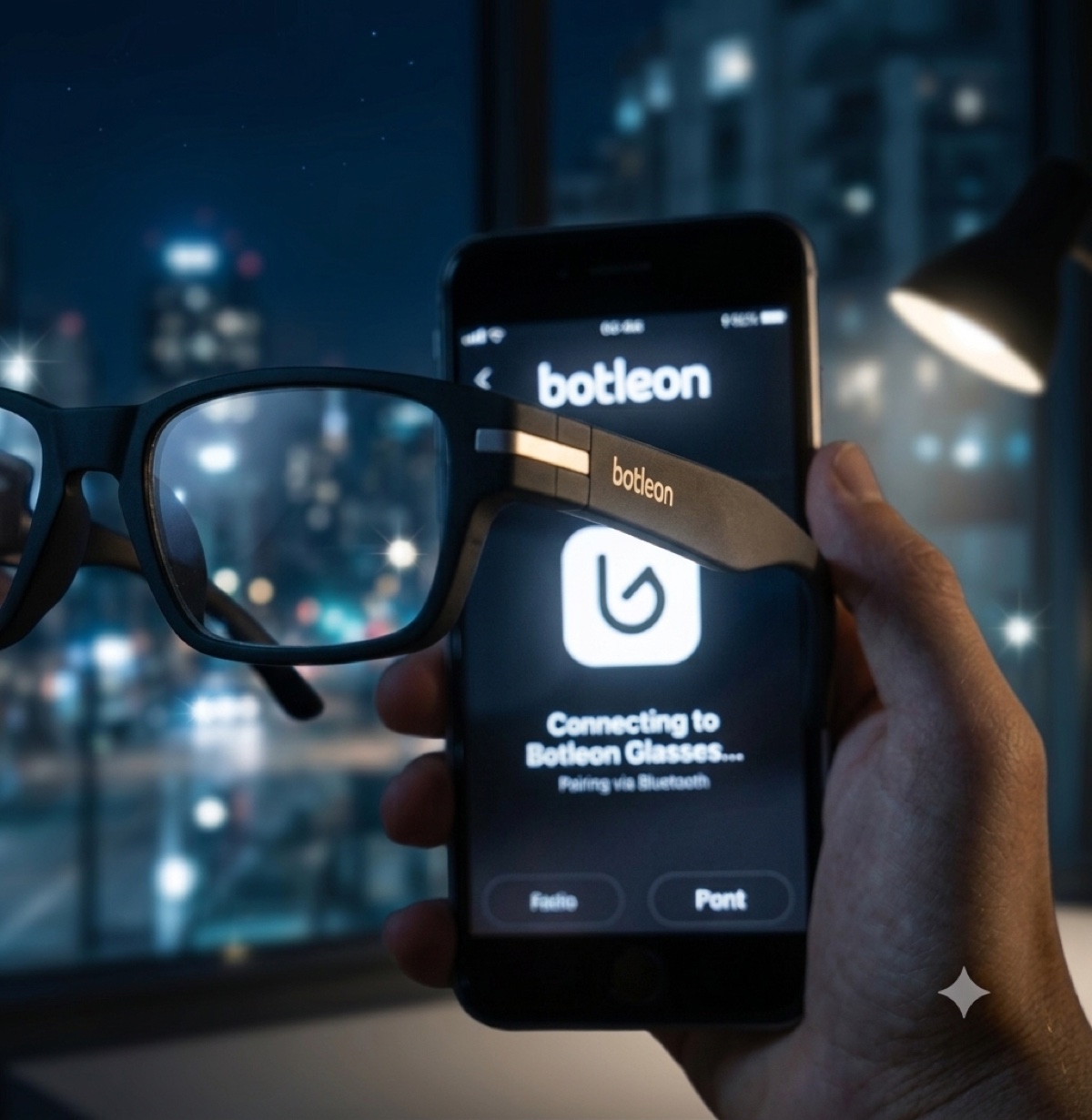
The Botleon app pairing with Mimosa over Bluetooth, city lights behind STEP 01 · LOAD

Load your languages before you go

Pick the languages you want in the Botleon app. The frame talks to your phone over Bluetooth and the translation runs there, so you will want a data plan wherever you plan to use it.

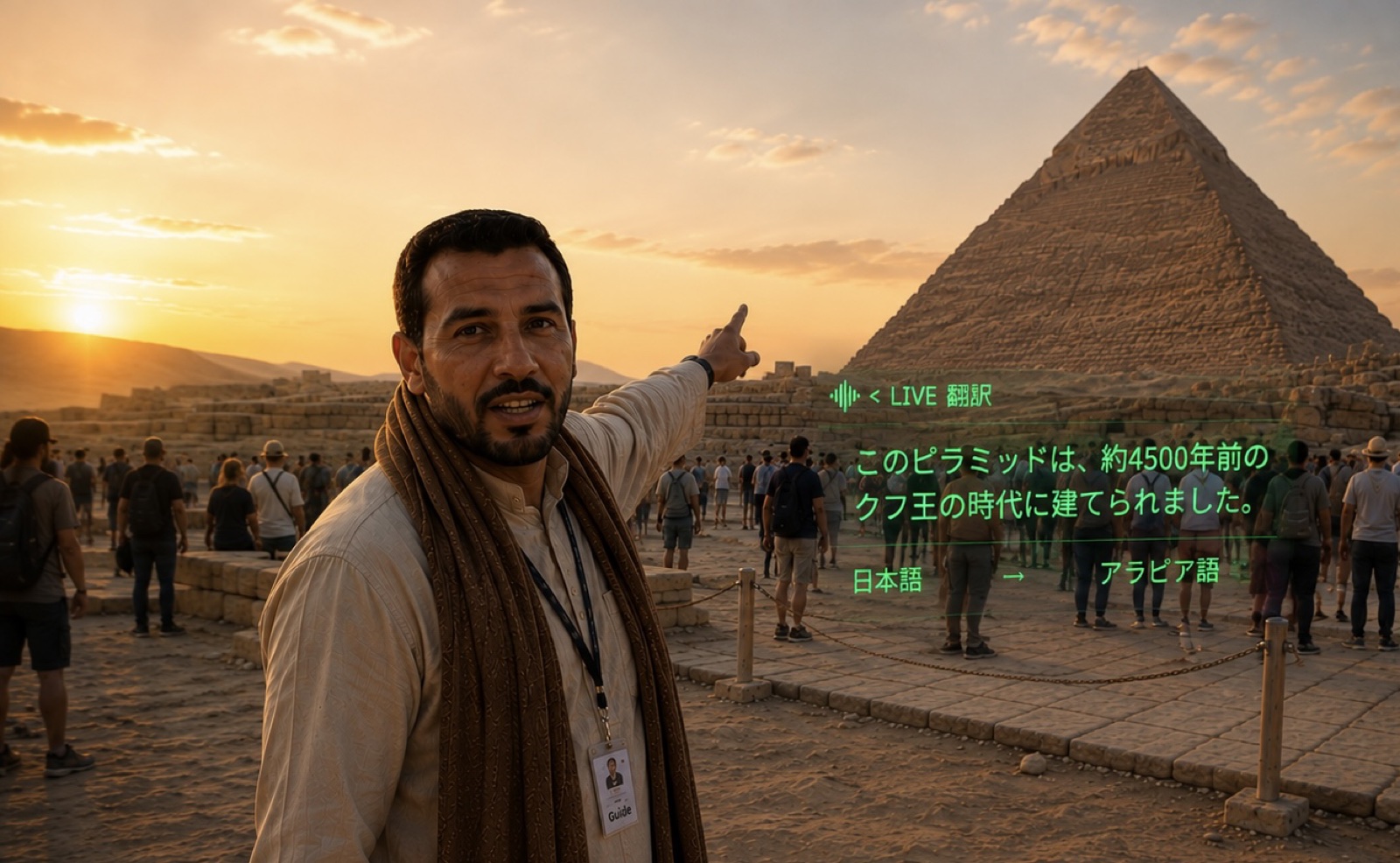
A traveller wearing Mimosa listening to a local guide STEP 02 · LISTEN

Speak — either of you

A three-mic array in the temples picks up both sides of the conversation and filters out traffic, café noise and station announcements before anything is transcribed.
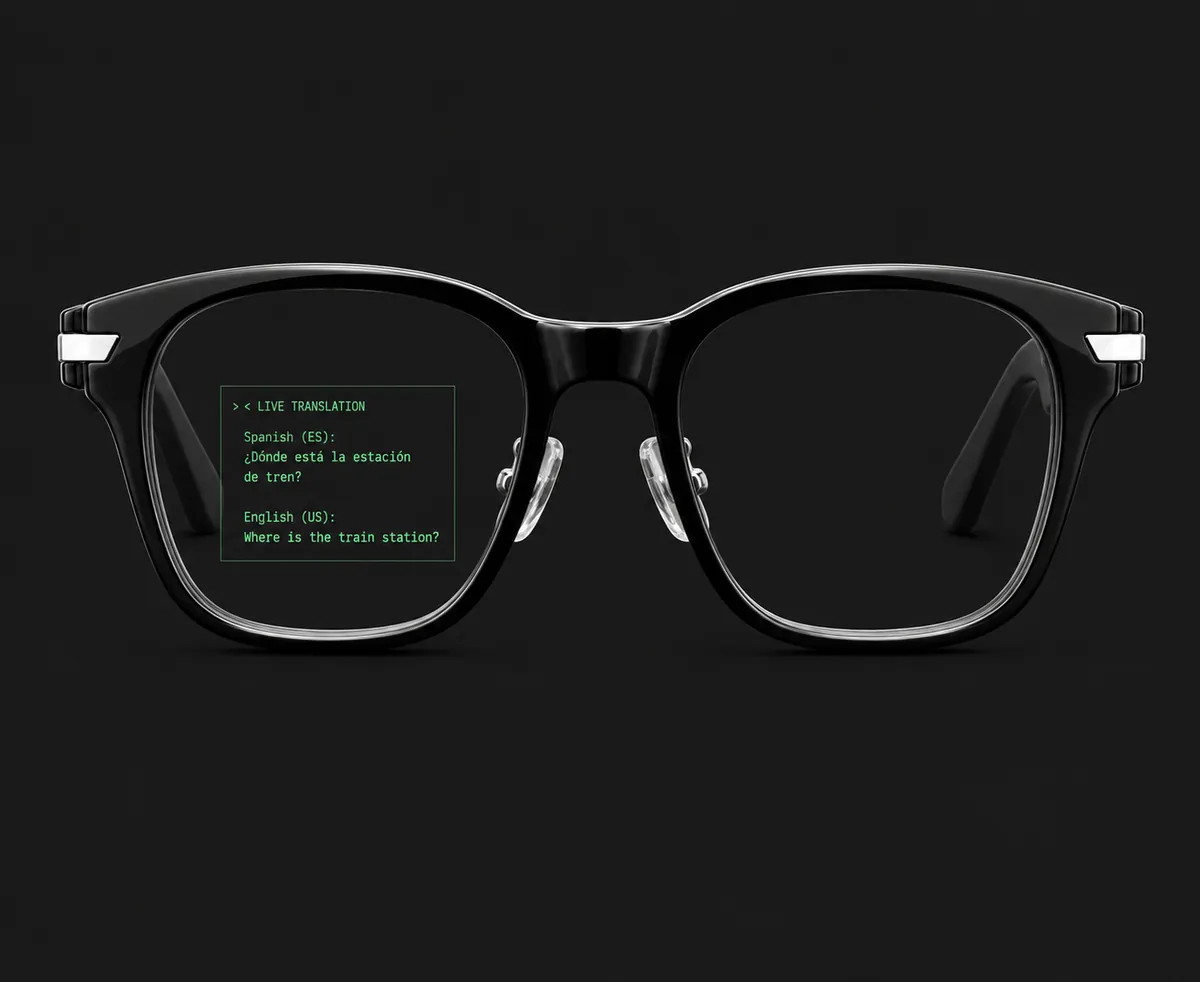
The live translation panel rendered in the right lens STEP 03 · READ

Read it where you're already looking

The subtitle sits in the upper corner of your right lens. You keep eye contact instead of dropping your head to a phone, and nobody else can see the text.
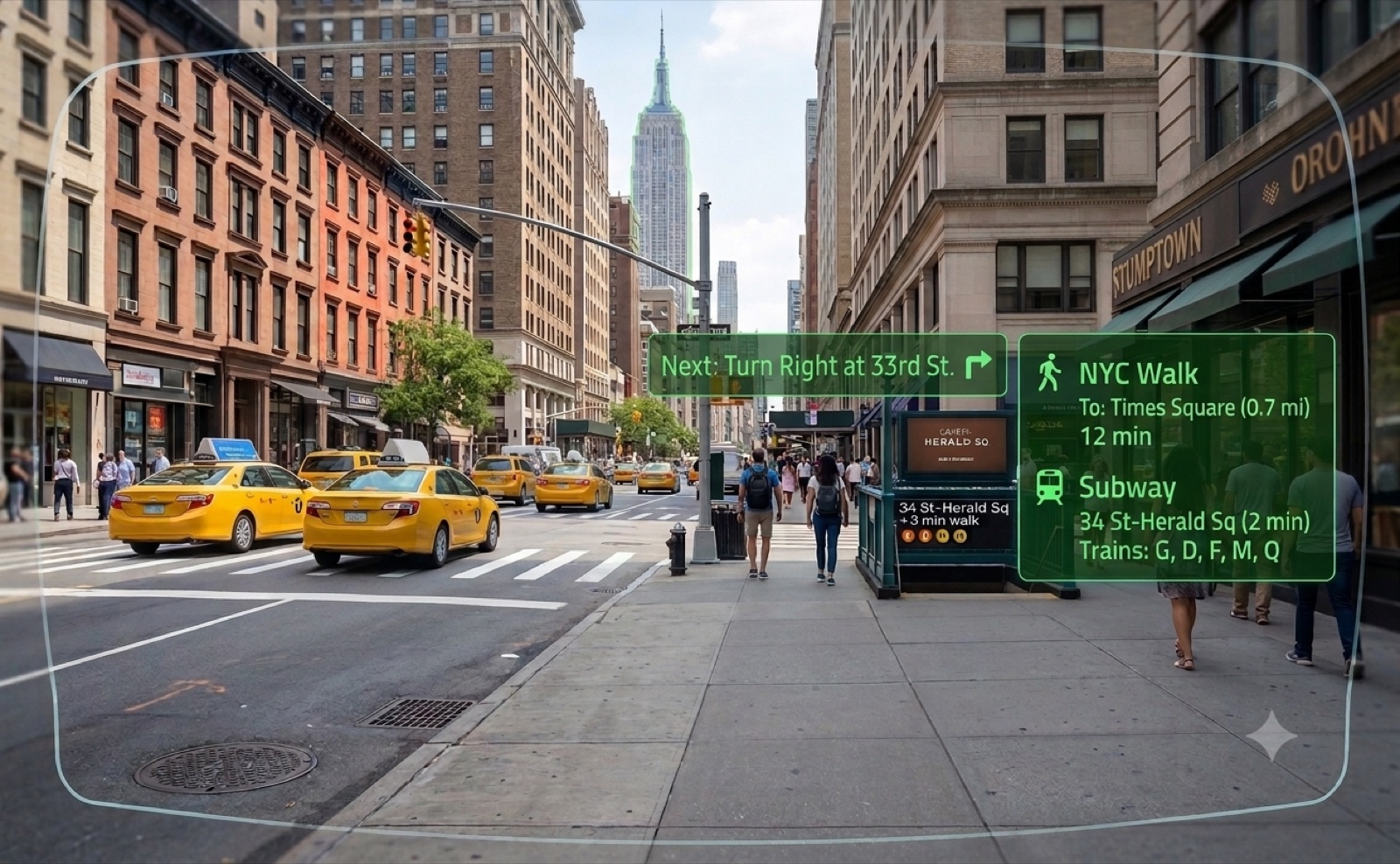
Walking directions and subway times rendered in the lens on a New York street STEP 04 · NAVIGATE

Find your way on the same panel

Walking directions and nearby places surface in the same display, fed from your phone — so one glance covers both what was said and where you're headed.

THE DISPLAY

Not just heard. Seen, clearly.

Every translation lands as a subtitle in a small green panel in the corner of your view. Read at your own pace. Glance off it when you don't need it.

mimosa · live-translate PAIRED · PHONE-POWERED
LIVE TRANSLATION · ES → EN
SUBTITLE · RIGHT LENS · 2,000 NITSSUBTITLE · VIA PHONE
Readable in daylight
2,000 nits in-eye, so the panel holds up on a bright street, not just indoors.
Original and translation
You see what was actually said alongside what it means, so the phrase sticks.
Out of your eyeline
Sits in one corner of one lens. It never covers the person in front of you.
Doubles as navigation
The same panel carries walking directions and nearby places when you need them.
MAKE IT YOURS

Shade included. Rx optional.

The clip-on shade comes in the box with every pair. The only thing sold separately is the prescription insert, which you order after your Mimosa is on its way.
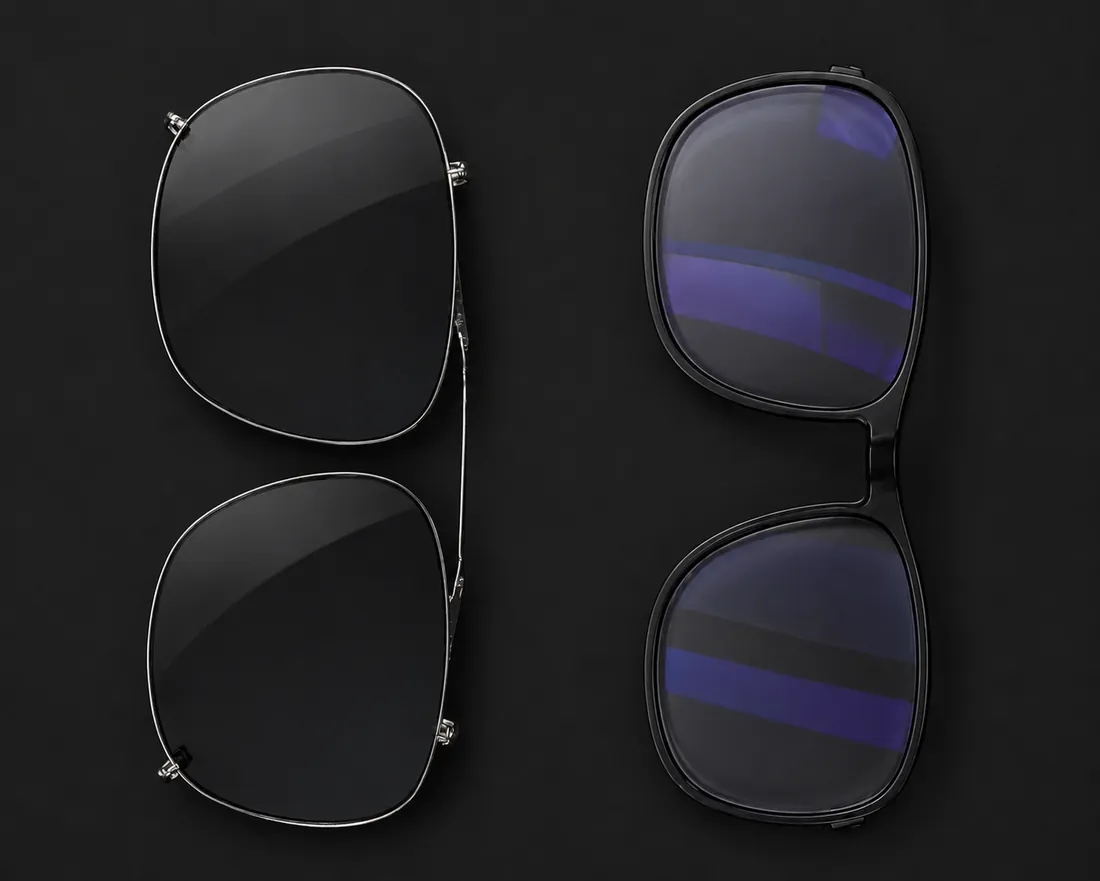
Rx insert behind the display lens
PAID EXTRA · ORDER AFTER PURCHASE
Rx insert
A slim corrective lens clips in behind the display lens, cut to your prescription. Correction and subtitles work together — no second pair underneath. Once your order is placed we email you a link to submit your prescription, and the insert is billed and cut separately.
Magnetic clip-on shade beside the Mimosa frame
INCLUDED IN THE BOX
Clip-on shade
A tinted front snaps on magnetically for bright days and lifts off just as fast. It ships with every pair at no extra cost — reserve or prototype, the shade is in the box.
ANATOMY · PROTOTYPE UNIT

Everything hidden in the arms.

The electronics live inside the temples, so the front reads as ordinary eyewear. This is a working prototype — production finish and colourways are still being locked.
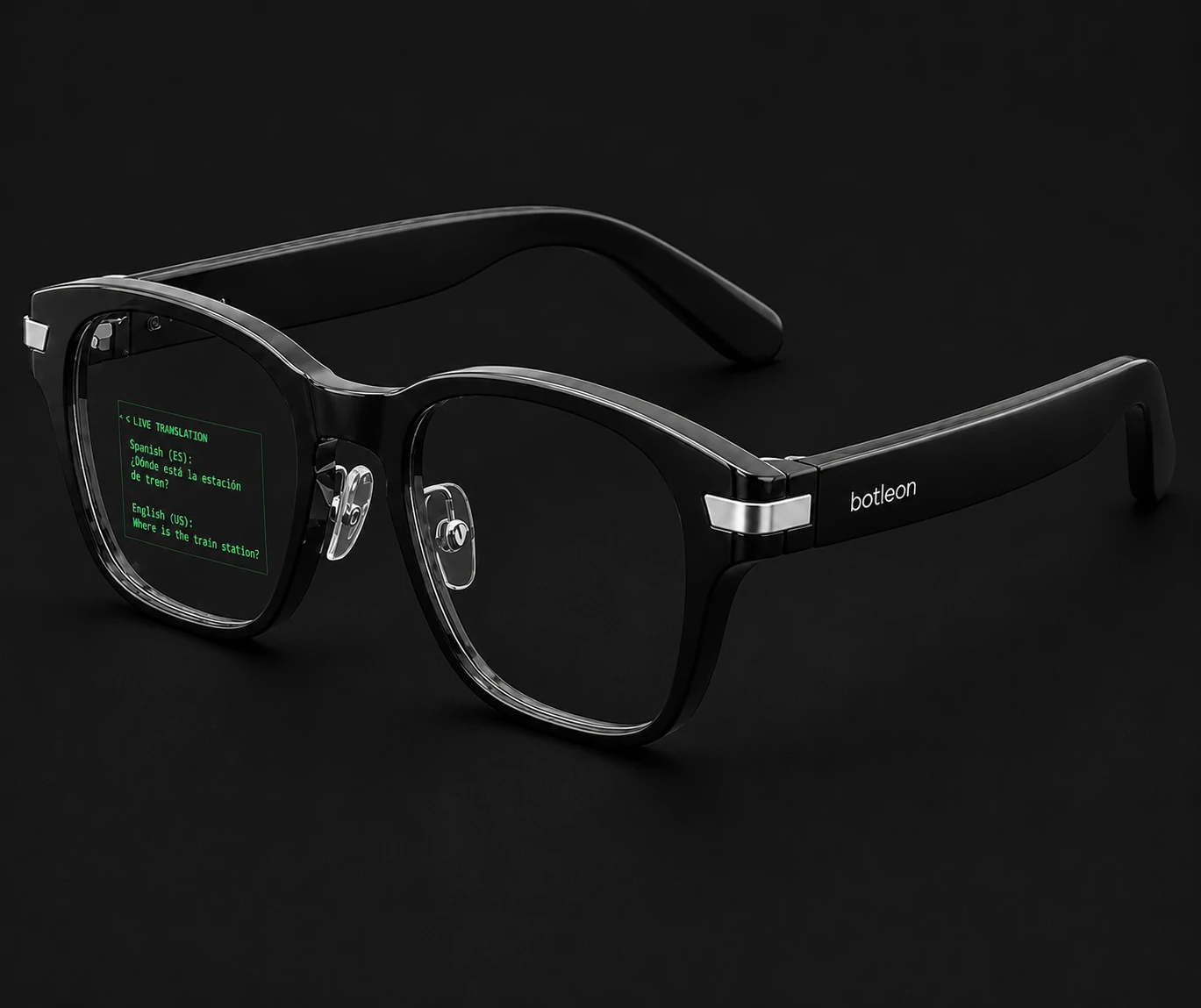
Botleon Mimosa shown at an angle with numbered component callouts
1
Display engine
Projects the green subtitle panel into the right lens only — monocular, so your left eye stays clear.
2
Shade mounts
Hidden magnets either side of the bridge accept the clip-on tinted front.
3
Hinge & contacts
Sprung metal hinge carrying the charge contacts for the USB-C dock.
4
Mic array
Three microphones tuned for noisy streets, cafés and station concourses.
5
Battery & touch control
Cell and the capacitive control strip sit inside the temple, out of sight and out of the way.
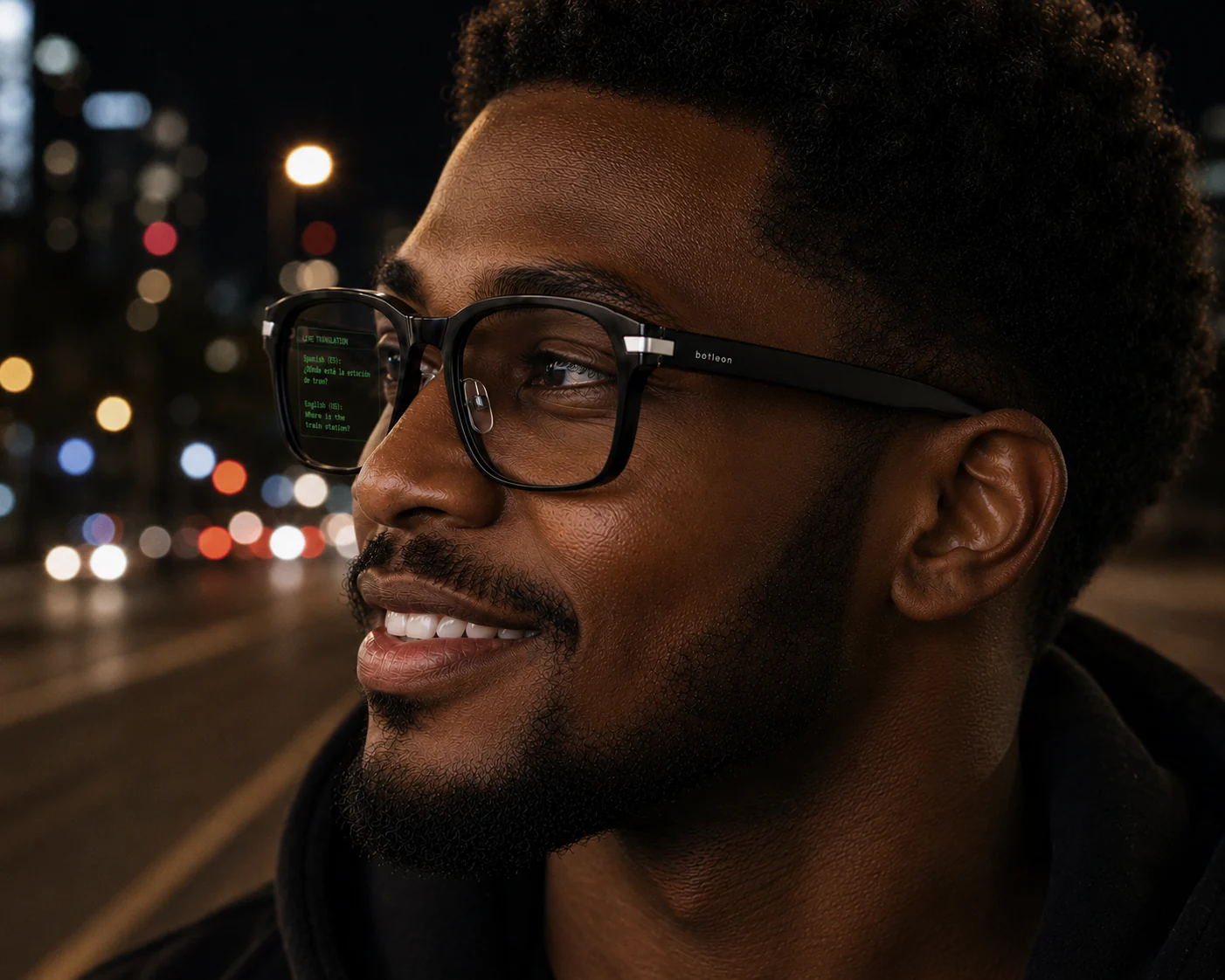
Mimosa worn on a city street at night, translation visible in the lens
REAL USE
Translation, visible only to you — even after dark.
THE PRODUCT

One pair. One price.

There is a single Mimosa. No trims, no tiers, no feature held back for a Pro model — every unit ships with the same display, the same language packs and the same Rx-ready frame.

Botleon Mimosa
Translation eyewear · 28 g · no camera
$299 RETAIL AT LAUNCH
Frame width145 mm unverified
Weight28 g unverified
DisplayMonocular green · right lens measured
Brightness2,000 nits unverified
Field of view30° unverified
LanguagesPacks load over Bluetooth count to be confirmed
Microphones3-mic array measured
CameraNone measured
SpeakerNone — replies play from your phone measured
Standby72 h unverified
ChargingUSB-C dock
In the boxFrame, clip-on shade, dock, case
PrescriptionRx insert, sold separately

Prototype specification. Figures marked unverified are from the component datasheet and have not yet been independently confirmed by us.

RESERVE
Pay $29 now
$29Deposit today. The remaining $270 is charged only when your pair is boxed and ready to ship — $299 in total.
Locks your place in the first production run
Choose your language packs before shipping
Clip-on shade included in the box
Fully refundable until the day it ships
Ships when production begins — we email you the date as soon as it is fixed, before charging the balance
RESERVE FOR $29
Dispatched from the current build
$499A hand-assembled prototype unit from the current build. Finish varies between units and the firmware is still moving — see what it doesn’t do before ordering.
Built to order from the current run — we confirm your dispatch date by email within two working days
Current firmware, with updates as they land
Prototype finish; cosmetics may vary unit to unit
Clip-on shade, USB-C dock and carry case included
BUY PROTOTYPE — $499
NOTE Reserve and prototype orders are handled by Botleon. Prototype units are sold as development hardware. The clip-on shade is included with every pair; the Rx insert is ordered and billed separately after purchase.
Who you are paying
Botleon. Company registration details are on file and available on request.
Your money
The $29 reserve is fully refundable until the day your pair ships — email us and it goes back, no reason needed. The $270 balance is only charged once your unit is boxed.
Dates we won’t invent
We are not publishing a launch date we cannot hold. When production is scheduled you get an email with the real date before any balance is taken.
If something is wrong
Write to info@botleon.com. A person answers. Prototype units carry no consumer warranty — if one fails we will repair or refund it, and we say that here rather than in small print.
IN THE ROOM

Walk out with the meeting already written up.

Three microphones in the temples, a summary on your phone, and nothing pointed at anyone. The glasses carry the live part; the writing up happens the moment you stop.

Live, on the lens
Captions as they speak
What is being said, in the upper corner of your right lens, while you keep your eyes on the person saying it. In their language or yours.
Live, on the lens
A question, answered mid-sentence
Ask your assistant something without leaving the conversation and read the reply where you are already looking. Needs your phone’s connection.
Live, on the lens
Your notes, scrolling
Speaker notes or a script only you can see, so a talk needs no cards and no glances down at a lectern. Frame supports it; the app screen is still being built.
After you stop
The summary, five ways
Brief, detailed, decisions only, follow-ups only, or a timeline with timestamps. Switch between them afterwards without recording again.
After you stop
What was decided
The choices made and the things ruled out, pulled out of the transcript and listed on their own, so the conclusion is not buried in the middle of an hour.
After you stop
What you committed to
Anything that sounded like a promise becomes a tickable item with an owner and, where a time was said out loud, a date.
After you stop
Everything still open
One list across every meeting you have recorded, soonest first, so the thing you owe someone from Tuesday does not need you to remember Tuesday.
After you stop
Into your reminders and calendar
Any item with a time can become a notification, a calendar entry, or both — they are offered separately because they are different promises.
After you stop
Fix what it mis-heard
Every transcript line is editable, including who was speaking. Recognition gets names wrong, and a summary built on a wrong name repeats it — so the correction lands in the transcript, not just the paragraph on top of it.
After you stop
Ask the meeting a question
“What did I agree to?” put to your own assistant, over the transcript, with the answer on the lens. Needs a connection.
After you stop
Notes that are still there next week
The library is grouped by day and searches titles, summaries, action items and the transcript itself — the word you remember is usually something that was said.
After you stop
On your phone, and only there
Transcripts and summaries are written to your phone. They are not held in a Botleon account, and no subscription decides whether you still have them.
Said plainly: the summary is built when you stop recording, not by agents listening alongside you during the meeting. It takes a second or two and runs on the phone. The only parts that happen while you are still talking are the ones badged Live, on the lens.
THE COMPANION APP · iPHONE & ANDROID

Everything it does, and what each part needs.

The glasses pair with a free app on iPhone or Android. Every feature runs on your phone over its internet connection — the frame is the display and the microphones. Here is the whole list, labelled.

DOWNLOAD THE APP
On the lens
Live translation
Subtitles appear in your right lens as the other person speaks — one way, or both sides of a conversation. Runs through your phone, so you need a connection and, abroad, a data plan.
On the lens
Walking & driving directions
Turn arrow, distance to the next turn and the road name, on the same panel. Your phone works out the route; the display is driven by the glasses. Transit is not included — see the limits below for why.
Your phone
Say where you’re going
“Take me to Rossio station.” Speak it or type it, pick the place, and the turns go to the lens one at a time. Recognition runs on the phone for languages that support it, and needs a connection. Today it listens on the phone’s microphone, not the frame’s.
Your phone
Or hand it to Maps
Any destination can be opened in Apple Maps or Google Maps on the phone instead — useful for transit, or if you simply prefer driving with one of them. One tap, no account, no setup.
Your phone speaks
Spoken replies
Mimosa has no speaker, so when you want the other person to hear your answer, your phone says it out loud.
On the lens
Recording & notes
Capture a conversation through the three-mic array and get a written summary, the decisions and the commitments. Built on the phone. The whole workflow is above.
Your phone
A library that keeps them
Every note is written to your phone and grouped by day, with search that reaches into the transcript — not just the title. No account, no cloud, no subscription standing between you and last month’s meeting.
Your phone
Correct the transcript
Edit any line, change who was speaking, rewrite the summary, add or remove an action. Speech recognition mishears names; this is how you fix it at the source rather than living with it.
Your phone
Reminders & calendar
Give an action item a time and it can become a notification, an entry in your calendar, or both. Calendar access is write-only — the app can add an event and cannot read the rest of your week.
On the lens
Read what you point at
Mimosa has no camera — so the app borrows your phone’s. Hold it up to a menu, a sign or a form and the text lands on the lens, translated. Reading and translating both happen on the phone, so it still works with no connection.
Needs a connection
Ask about a photo
Capture what the camera sees and send it to your assistant with a question. This is the one camera feature that leaves the phone, and the app says so before it sends.
Needs a connection
AI assistant
Ask a question out loud and read the answer on the lens. Connect your own Claude, ChatGPT or Gemini account — your key stays in the iPhone keychain and goes only to that provider.
Needs a connection
Claude Code
For developers: connect the app to Claude Code running on your own machine and read what it is doing — files edited, tests run, the one-line answer — on the lens while you keep your hands free.
Phone app
20 interface languages
The app itself greets you and runs in your language. This is separate from what the glasses translate — picking Portuguese here does not add a Portuguese translation pack.
In the app update
Live captions
Everything said around you, transcribed onto the lens — the same capability that makes it useful as hearing support. The frame supports it; our screen for it is still being built.
In the app update
Teleprompter
Your script scrolling on the lens, or short speaker notes only you can see. Supported by the frame, screen pending.
In the app update
Notifications
Messages, calls and your next calendar event, glanceable without reaching for the phone. Supported by the frame, screen pending.
In the app update
The morning glance
Your next appointment, the weather and what you owe people, on one panel when you put the glasses on. The frame draws it; we have not built the screen that fills it.
On the lens Shown in the display; the work happens on your phone.
Your phone Handled by the companion app.
Needs a connection Sends a request to a provider you choose.
In the app update Hardware ready, app screen still in progress.
GET THE APP

The app is coming soon.

Mimosa needs the Botleon companion app to do anything at all. It is in development for iPhone and Android, and neither build is in a store yet. Everyone who reserves gets an email the day there is something to install.

Coming soon
iPhone
In development. No App Store listing yet, and no date we are willing to promise until one is live.
Coming soon
Android
In development alongside the iPhone build. Mimosa is compatible with both.
Prototype buyers
SDK — Android only
Bought a prototype and want to build against the frame yourself? The SDK is available on request — Android only, there is no iOS SDK. Email info@botleon.com from the address you ordered with.
BEFORE YOU ORDER

What it doesn’t do.

We would rather you read this now than find out after it arrives.

No camera, at all
There is no lens, no photos, no video and no way to add them later. That is a deliberate design choice, and it is why the glasses are welcome in places other smart eyewear is not. When you need to read something, the app uses your phone’s camera — held up deliberately, the way you already point a phone at a menu.
No speaker
The frame has three microphones going in and nothing coming out. Anything you want heard aloud is played by your phone, which means it is heard by the room, not privately.
One lens, one corner
The display is monocular, green, and about 30° across — roughly eight words to a line. It is built for a subtitle or a turn arrow, not for reading documents, email or code.
No music, and no calls on your face
Glasses with speakers in the arms will play audio and take a call. Mimosa has no speaker, so it does neither. If listening to something without earbuds is the reason you are shopping for smart glasses, this is the wrong pair.
No wake word
There is nothing to say out loud to start it. You begin recording, ask a question or set off navigating from the app. Always-on listening for a trigger phrase is not something the frame does, and we are not going to imply it by putting a phrase on this page.
The summary is written afterwards
Captions and answers appear while you are talking. The summary, the decisions and the commitments are worked out on your phone the moment you stop — not by agents tracking the conversation as it happens. It takes a second or two. We are spelling this out because the difference is easy to blur and expensive to discover late.
No transit routing on the lens
Walking and driving give turn-by-turn steps the display can draw. Public transport does not — the routing available to us returns an arrival time and no leg-by-leg instructions, so there would be nothing to put on the glass. Transit journeys hand off to Apple Maps or Google Maps on the phone instead, and the app says so rather than showing an empty panel.
Spoken destinations use the phone’s mic
Saying where you want to go is heard by the phone, not by the three microphones in the temples. The frame’s array is wired up for translation and recording; routing that same audio to dictation is not proven yet, and we would rather say which microphone is listening than let you assume.
It needs your phone and a connection
Mimosa is a display and a microphone array, not a computer. Everything — translation, directions, the assistant — runs on your paired phone over its internet connection. In aeroplane mode, or with no signal, the frame shows you nothing. Treat it as an accessory to your phone, not a replacement for it.
Phone calls are a special case
iOS gives no app access to call audio, and Android varies by handset. The glasses can only hear a call if it is on speakerphone — on handset, you get your side of it and nothing more. The app says so on screen before you record.
The app is not out yet
Mimosa works with both iPhone and Android, but neither app has shipped. Both are in development and we are not promising a date until one is in a store. Nothing on your phone works until then.
This is prototype hardware
Units shipping now are hand-assembled. The finish varies between them, the firmware is still moving, and production colourways are not locked. Buy a prototype expecting a prototype.
Not a medical device
Captions can help in a noisy room, but Mimosa is not a hearing aid and is not certified as one. Do not use it in place of medical equipment or professional advice.
BOTLEON LABS

Built to listen,
not to watch.